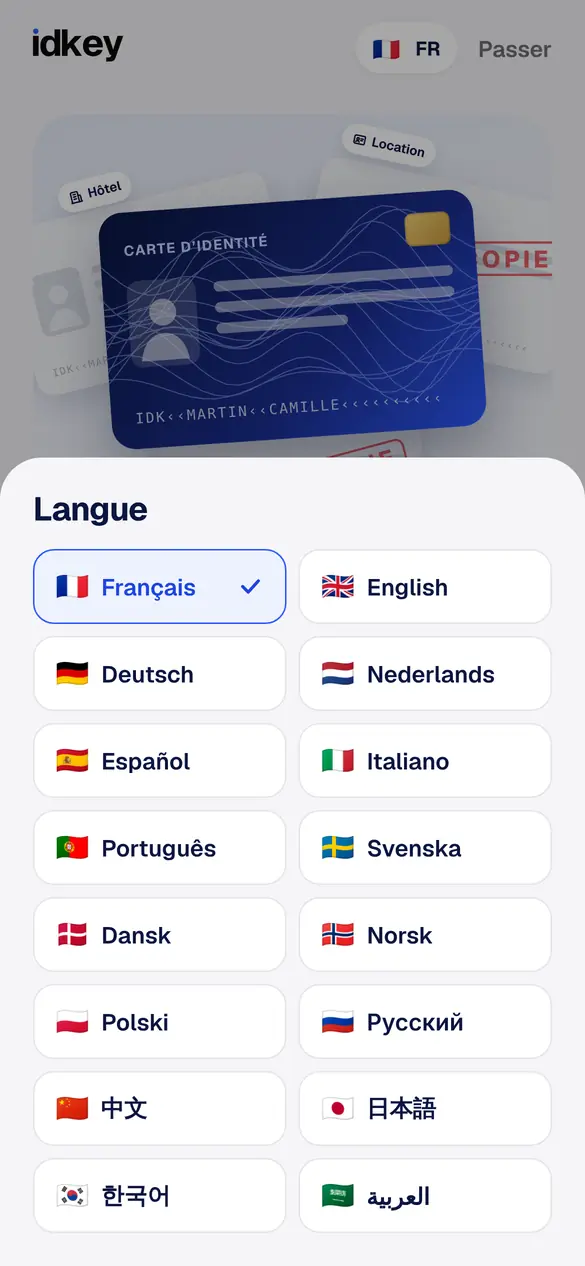
Your language, out of 16
French, English, German, Spanish, Italian, Chinese, Japanese, Arabic… Handy for friends and family visiting France.
No mock-ups: these are real screenshots of the app. What you see, what is sent, what stays on your iPhone.
You choose your language, read how your data is protected, then your iPhone reads your ID.
French, English, German, Spanish, Italian, Chinese, Japanese, Arabic… Handy for friends and family visiting France.
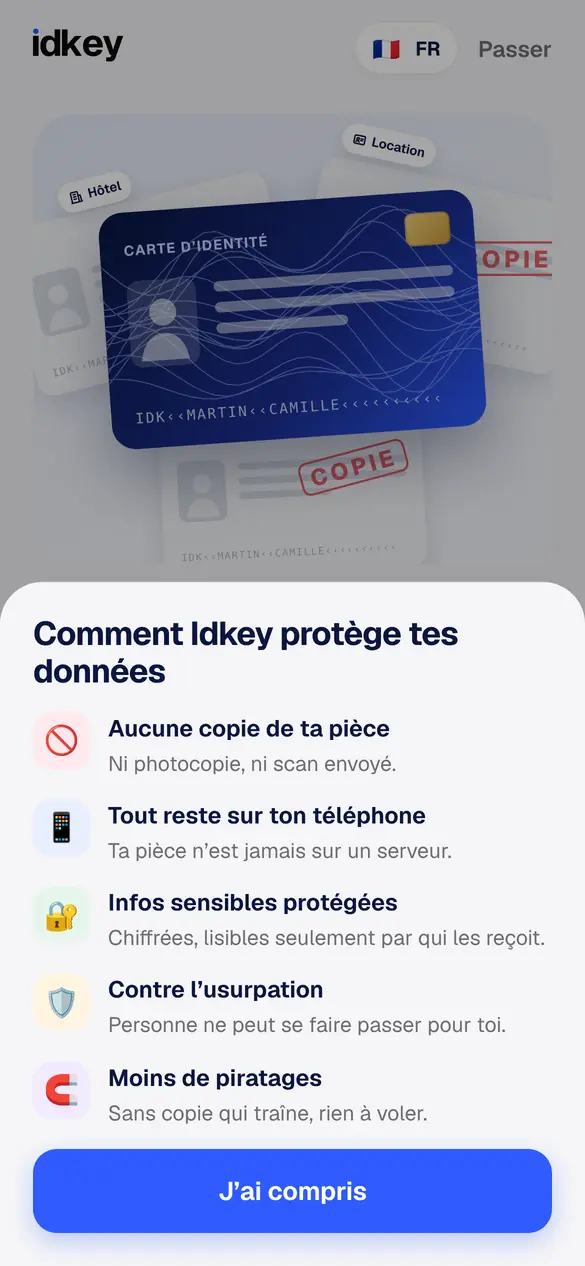
No copy of your ID, everything stays on your phone, sensitive info locked. The app explains this first.
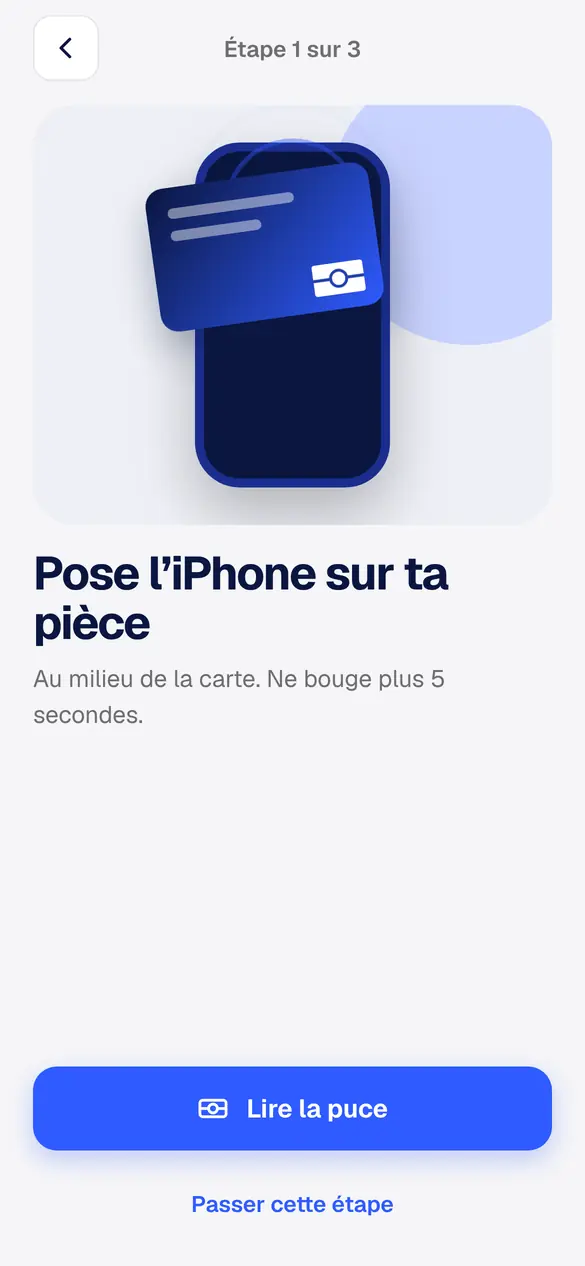
Place it on your ID card or passport: it reads the State-signed chip. No chip? The coded lines at the bottom and a selfie are enough.
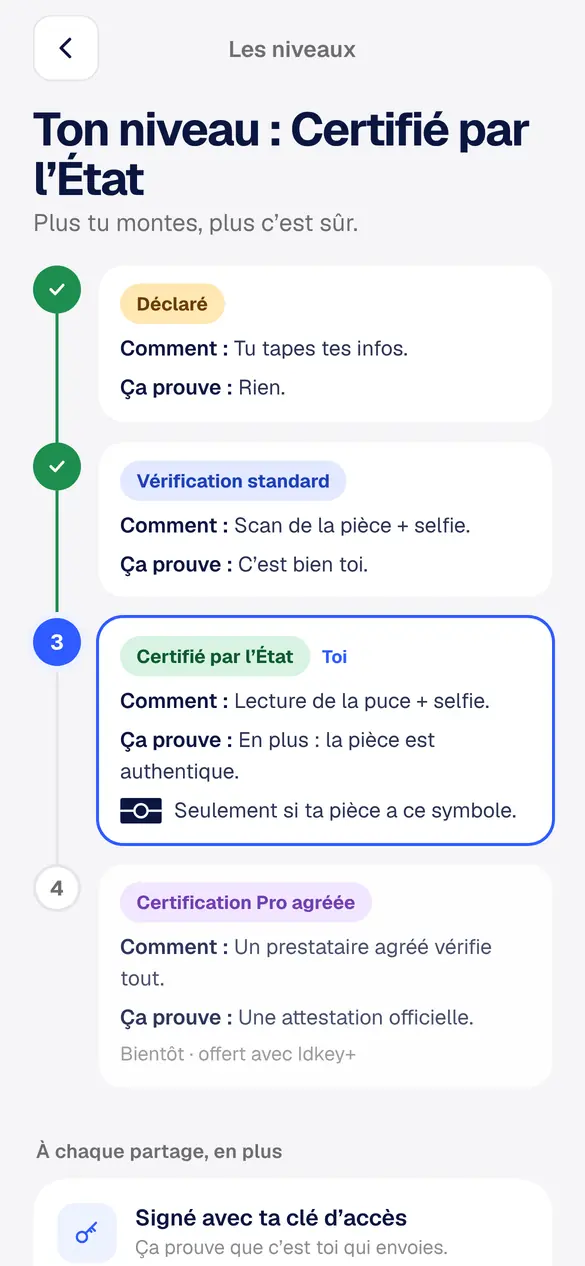
Declared, standard, State-certified: the higher you go, the safer it is. The business sees your level, never your ID.
A QR code at reception or a link from your host. You see everything, you choose, you confirm.
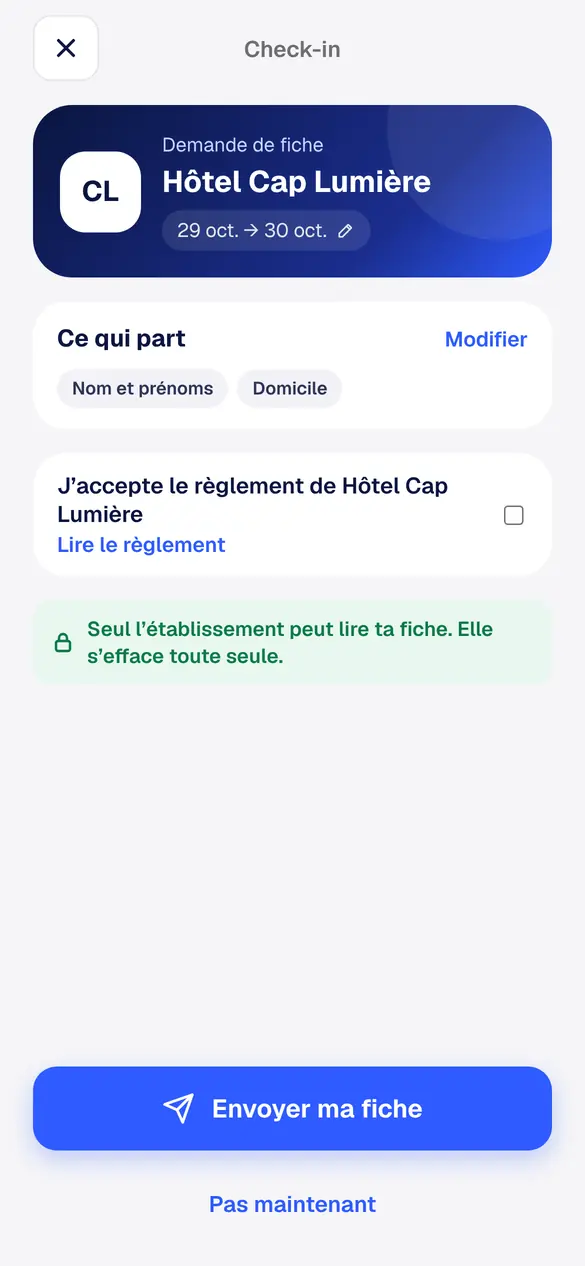
You see who is asking for your form, for which dates, what is sent, and you can read their house rules.
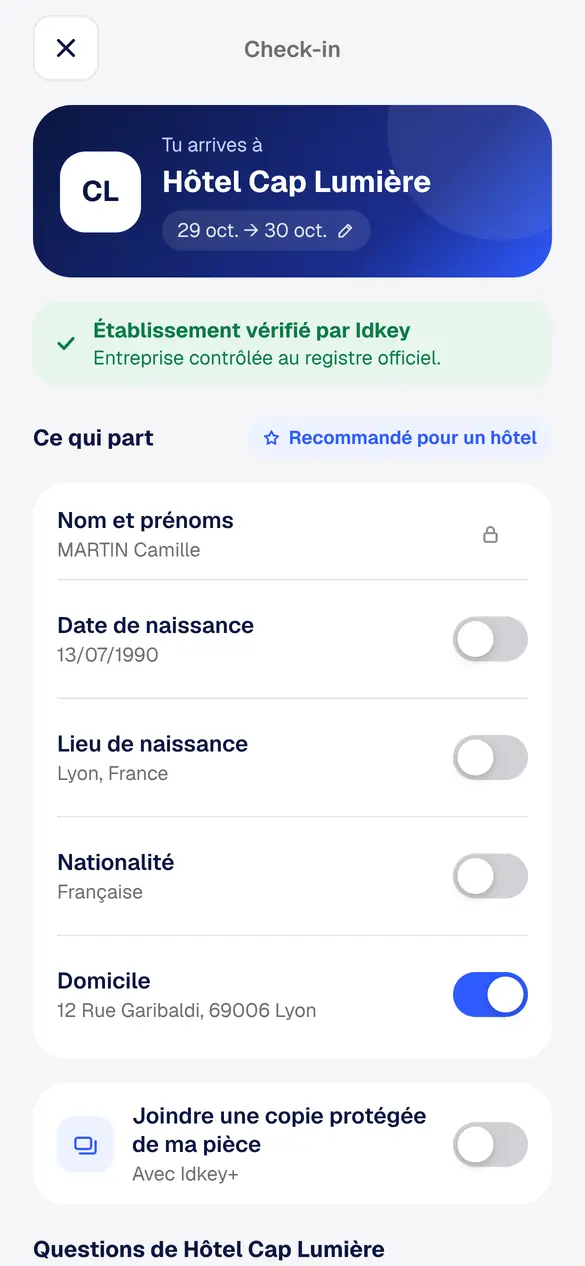
The business is checked against the official company register. Each piece of information has its own switch.
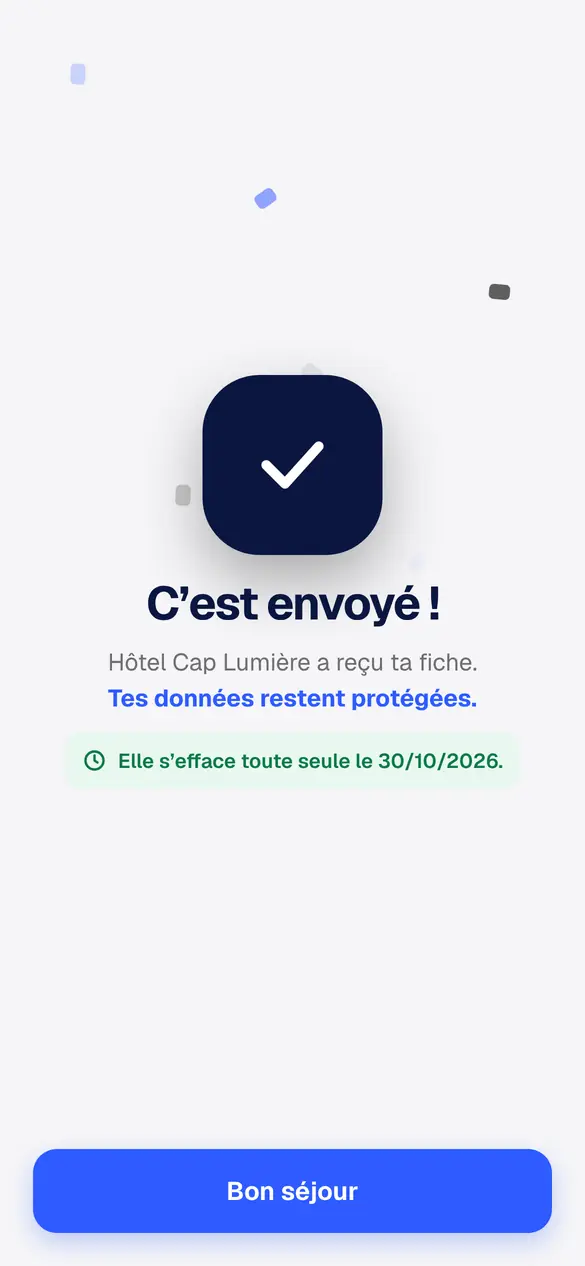
Your form is sent locked, confirmed with your face. You see the date it will delete itself.
Rental, landlord, agency, sales between individuals: your Idkey card works wherever your ID is requested.
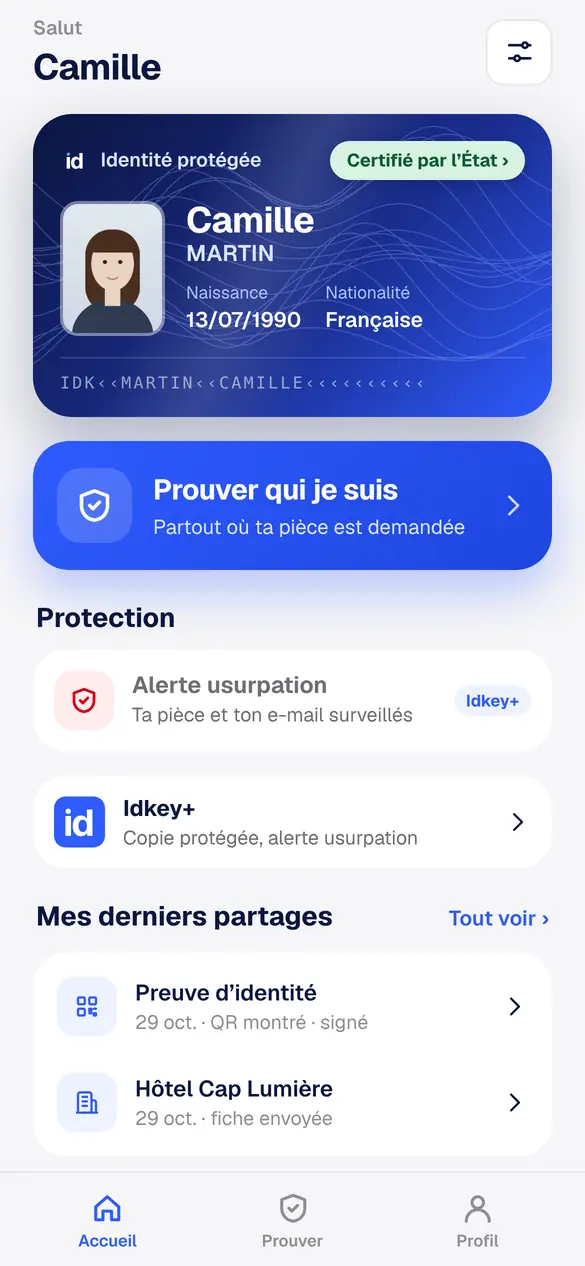
Your protected identity, your level and your recent shares in one place. It also goes in Apple Wallet.
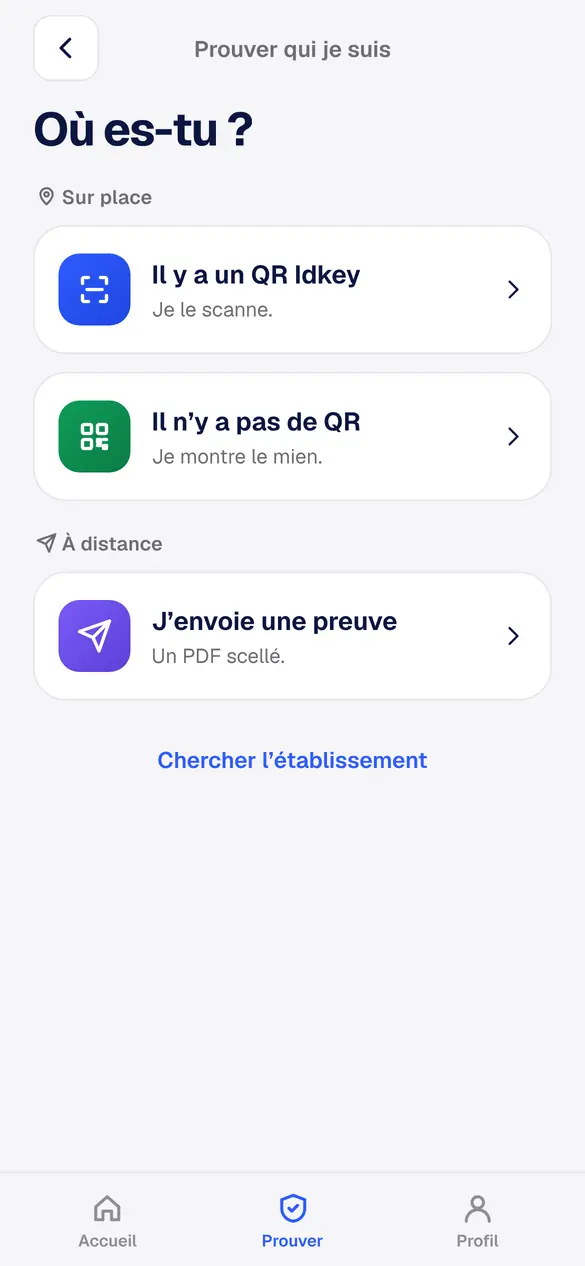
In person, you scan their QR code or show yours. Remotely, you send a protected document: if it is altered, it shows.
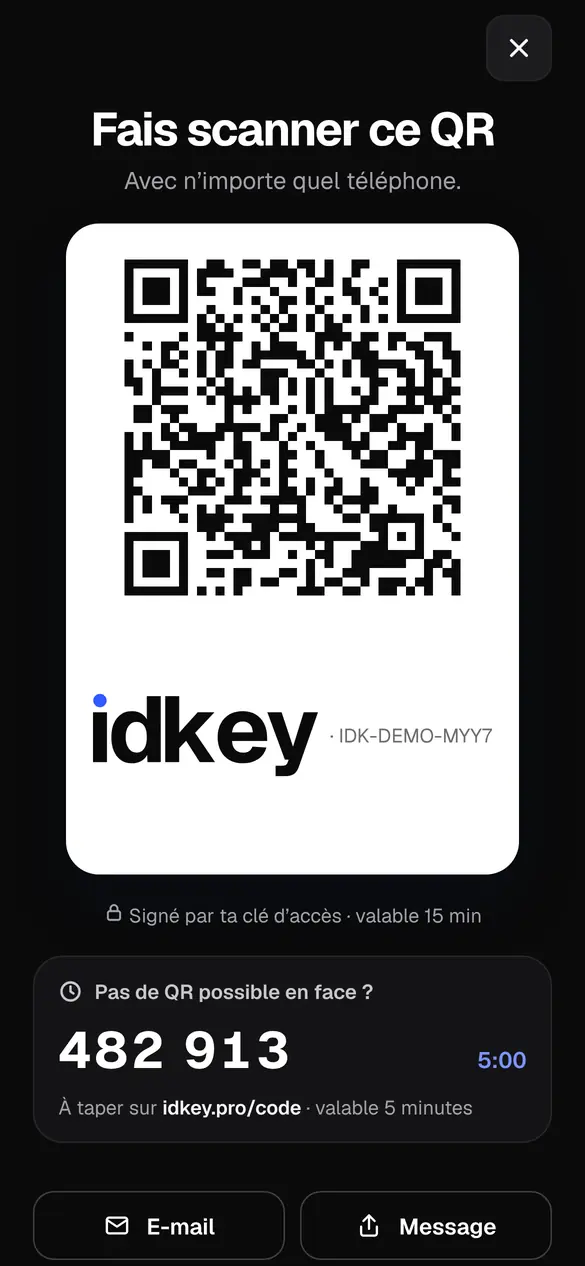
It can be scanned with any phone and is valid for 15 minutes only. Otherwise, a 6-digit code.
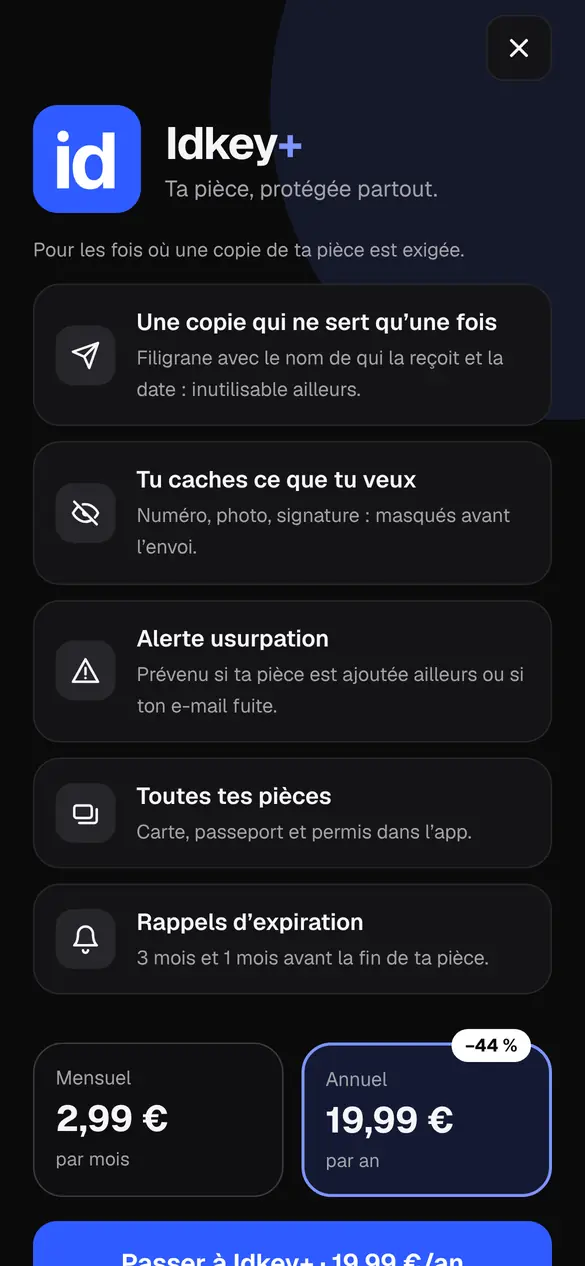
For the rare cases when a real copy is requested: agency, landlord, rental company.
Idkey is free on iPhone and Android. Your ID never leaves your phone again.